Sovereign Tickets
One place to run an event, in the organiser's own look: tickets, volunteers, crew, guestlist and email, with an AI agent built in that answers from live data and prepares changes.
- Partner
 Good2U gUG
- Role
- Lead Engineer & Designer
- Timeline
- Ongoing
- Discipline
- Product Design & Full-stack Development
The live ticket shop for Good2U 2026, with the festival's artwork drifting behind the tickets. Recorded from the real page.
Overview
Sovereign Tickets started with a non profit festival that wanted its own front door instead of a big platform's generic checkout page. Together with the festival and partners who are deeply rooted in the event industry and know what is needed on the ground, I built something wider: a single system that sells the tickets, takes volunteer applications, plans shifts, manages the guestlist, sends every email and keeps the money in view. Everything carries the event's own colours, fonts and tone, from the shop to the pages volunteers log into. It was built for one festival first, but shaped from the start so that any festival or event organiser could use it.
Challenge & approach
The challenge
Independent organisers run their events on a patchwork. Tickets sit with a platform that takes a cut, volunteers live in a spreadsheet, the guestlist lives in someone's inbox and the shift plan lives on a whiteboard. None of it talks to each other, the same person is typed in four times, and the event's own personality fades the moment someone clicks buy.
The approach
Build one system instead of five, and make it look like the event everywhere. Ticket buyers, volunteers and crew are the same kind of person seen with different permissions, so nobody is entered twice. The best example of what that connection buys: a volunteer purchases their deposit ticket through their own portal, with an access key or by converting a ticket they already hold, and links it to their account. Because shifts, check-ins and the deposit now live in one place, refunding the deposit after the shifts are done is a matter of a click, backed by the record of the day. Every setting has a live preview next to it, in English and German, because you should see what you are changing before it goes live. Each organiser's data stays strictly their own. Stagehand, the built-in assistant, answers questions, opens the right page and prepares changes, like more people on a shift, which a person then approves.
How it was built
Nothing I build is finished on day one, and that is the point. An afternoon of watching real people use a working version teaches more than a month of planning, and the principles behind it are well established. Human-centred design starts with the people and their tasks rather than with a feature list. Iterative design treats every round of testing and revision as a step that makes the product measurably more usable. And usability testing with a handful of people is enough to show what could still become more intuitive.
Sovereign Tickets grew this way with the festival: a feature shipped, organisers and volunteers used it for real, I watched where they hesitated or found a workaround, and the next version was better for it.
The ticket shop went through proper usability sessions. Each person got a story rather than a task list: a friend has invited you to this festival, and today you are buying your ticket. In front of them was a sandbox that looked exactly like the real shop, with Stripe in test mode, so they could go from the first click to a paid ticket in their inbox. Using the think-aloud method, they said every thought as it came, every small hesitation and every "wait, what does this mean", after a careful briefing so they knew that the software was being tested and not them. An hour of that is worth more than any amount of guessing, and it is how a product ends up being understood and liked.
Engineering software this way is also simply enjoyable. Working software goes out often, real use changes the plan, and the system stays easy to extend, so a new feature or a change to an old one is a normal week rather than a project. Starting small and improving with real feedback is faster than guessing it all up front, and people trust what they helped shape.
Stagehand, the AI agent
Stagehand is an AI agent built into the platform. Organisers ask how something works, where their event stands or what should change, and get answers grounded in live data, cited and verified. Every change arrives as a plan to review and approve, keeping a human in the loop.
It runs on a small model entirely on their laptop, so personal data never leaves the device, on any compatible endpoint, or through an AI assistant like Claude and others via MCP with OAuth sign-in, where people appear only as pseudonyms. Designed small-model first, its context engineering (routed tools, prefix caching, token budgets) fits a 4,096-token window.
The model proposes, code decides. Tool calls produce structured outputs that a deterministic compiler validates and runs read-only under database permissions. Changes carry signed intent tokens, so nothing runs without a click and every step is audited and reversible. Grounding checks verify every number, name and claimed action against the tool results, with one repair round before anything untraceable is flagged. Hybrid retrieval handles German and typos and refuses in code when it has no answer.
Privacy is GDPR-driven by architecture: personal data is masked before reaching a remote model, and model-written links are blocked, breaking the lethal trifecta so prompt injections have no way out. Every answer carries a trace of model, prompt version, tool calls, tokens and latency, and the transport handles streaming, retries and circuit breaking.
Every change is gated by tests, a retrieval benchmark with a held-out set and a real-model agent evaluation on golden cases, with deterministic grading in code and must-pass cases for privacy, grounding and prompt injection.
Names and data are fictional
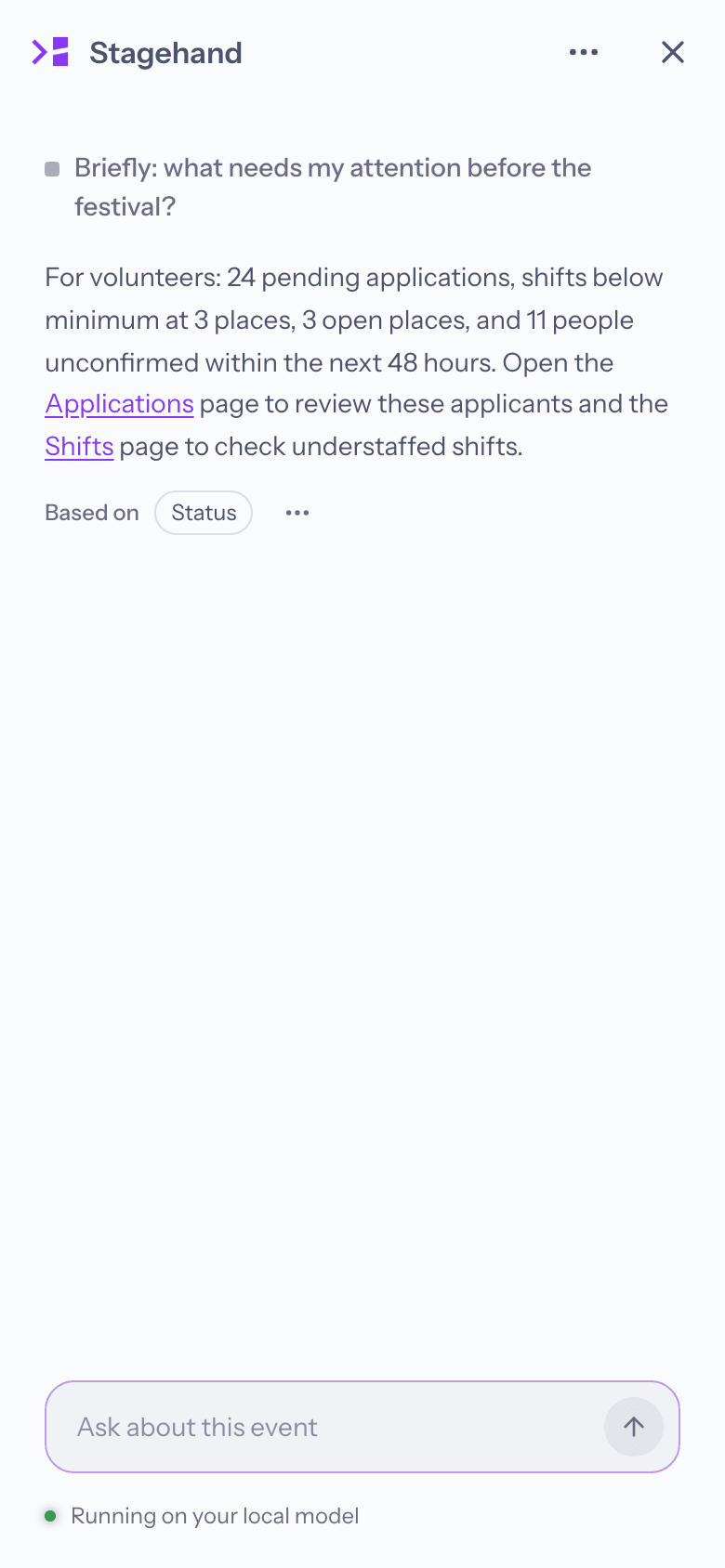
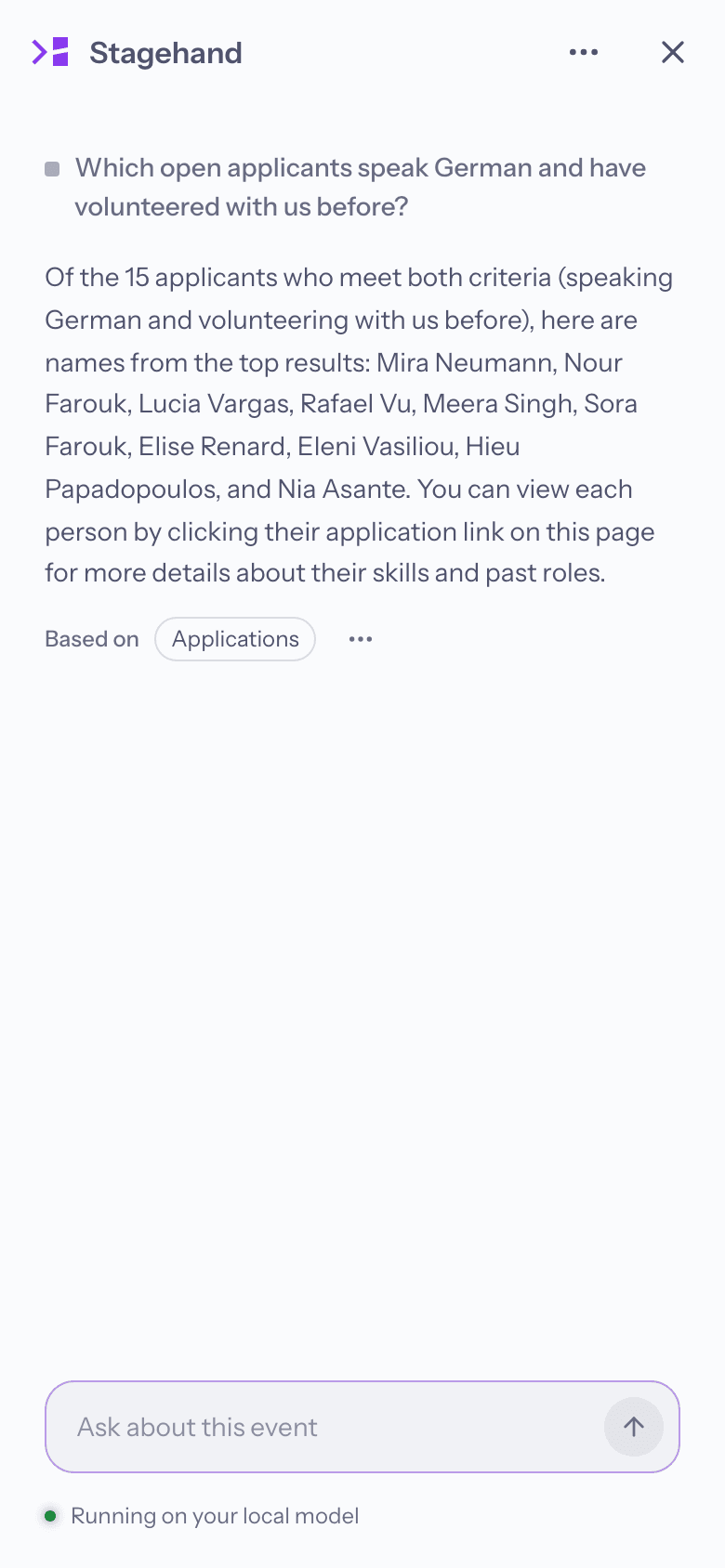
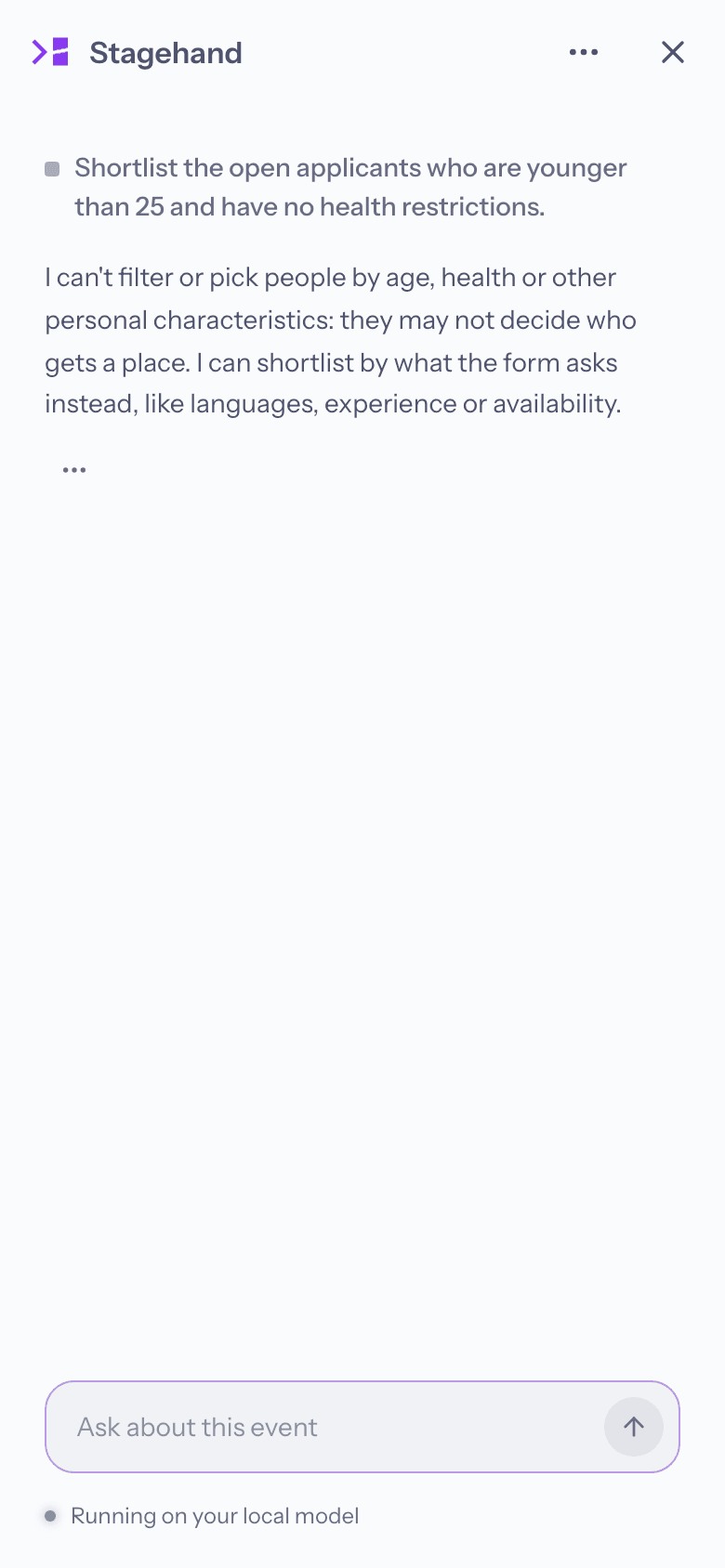
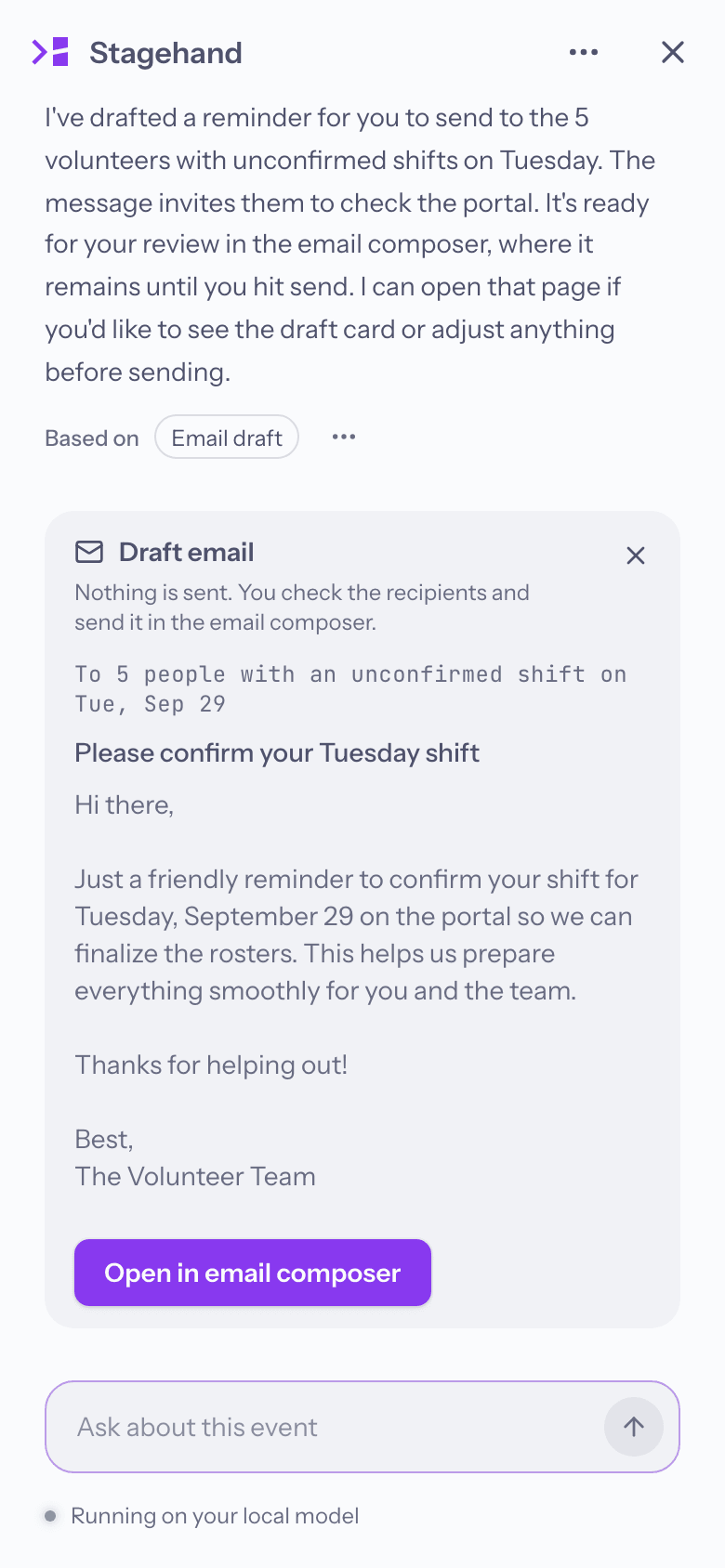
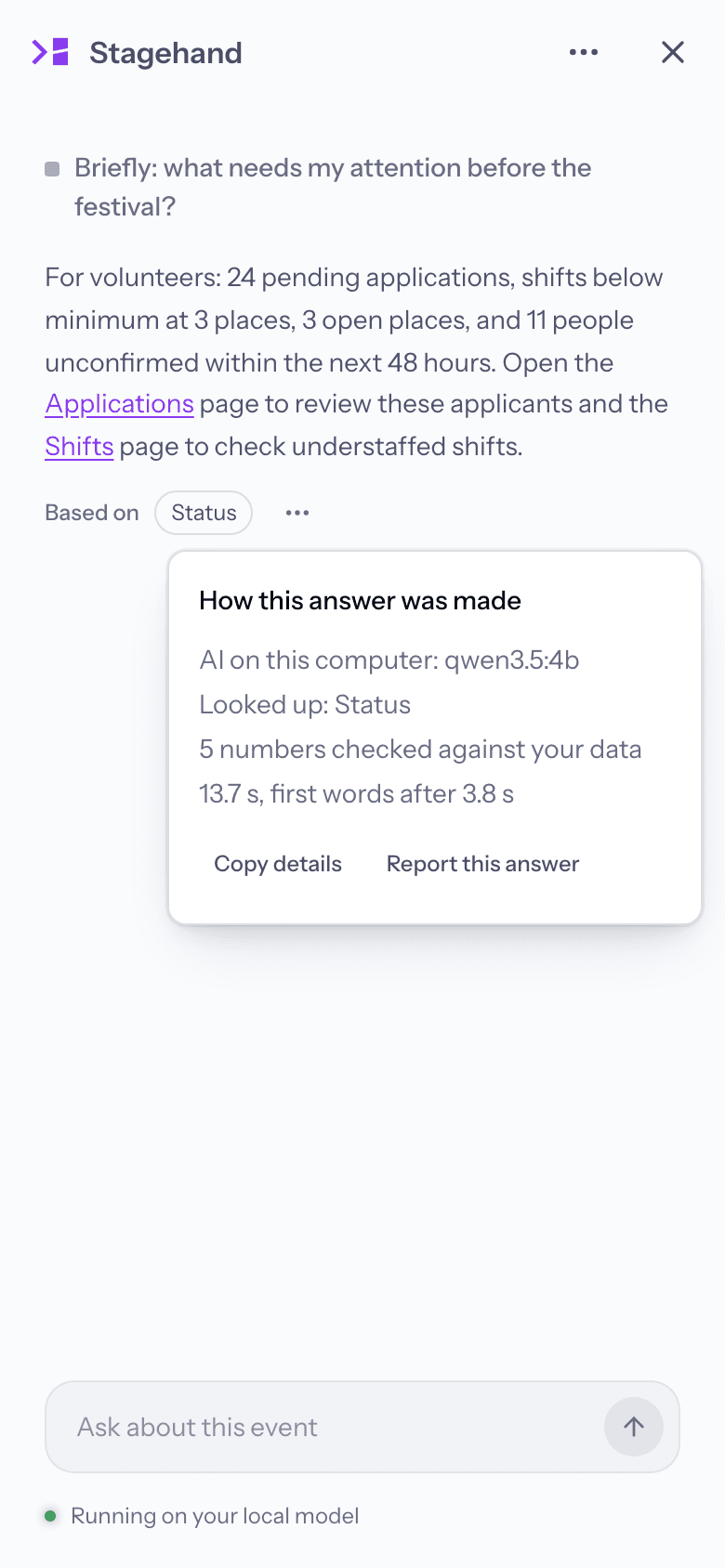
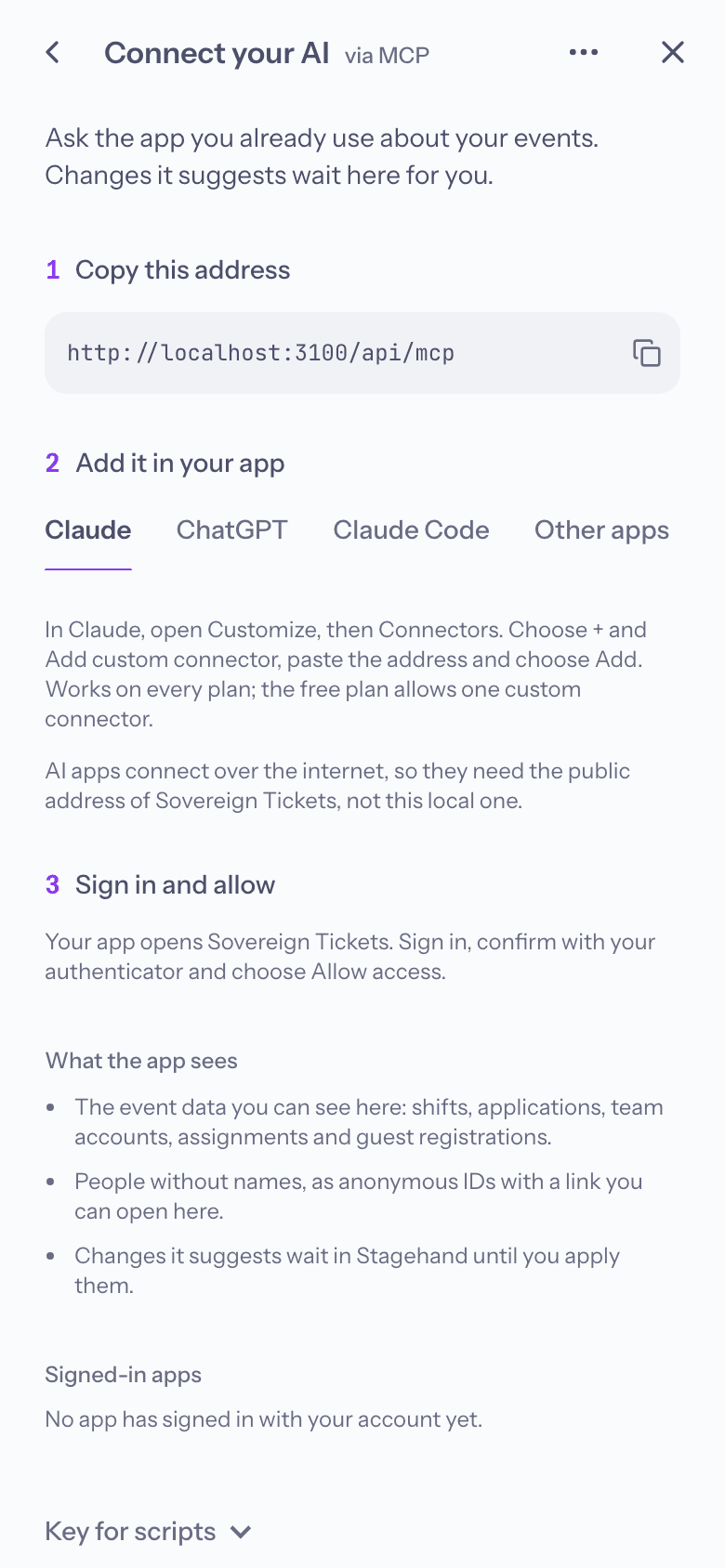
A request becomes a plan of two steps. Nothing changes until the organiser applies it, and every applied step can be undone. Recorded from the real app.
What the system covers
- 01
Ticketing
A branded shop with several ticket types and capacity limits, different product types such as accommodation, and custom checkout fields for whatever the organiser needs to ask.
- 02
Returns & waitlist
Sold out means a waitlist, not a black market. Buyers hand tickets back at face value, the next person in line gets them, and nobody ever pays more than the printed price.
- 03
Payments & refunds
Stripe under the hood, so the organiser is paid out directly. Refunds are always face value, with invoices and cancellation invoices generated automatically.
- 04
Guestlist
Personal invitations with secure links, for events that do not sell tickets at all.
- 05
Guest registrations
Artists and crew get a personal link with a number of guest spots. They fill in a guest or pass on a share link so the guest registers themselves, and the name is locked onto the ticket at purchase.
- 06
Volunteers & crew
Application forms the organiser builds, and a portal for volunteers and, separately, crew: shifts, messages, documents to sign, fields set per group, and their own guest spots and reduced tickets for friends.
- 07
Door & check-in
One list of everyone expected at the door, guests and ticket holders alike, with a scanner that validates signed QR codes online or offline and check-ins, flags and notes kept live.
- 08
Shifts, live
Plan shifts across work areas with minimum staffing. On the day, see who has arrived at the gate and who is on site, who is late for a shift, mark no-shows, and record completed shifts so deposit refunds afterwards are quick and backed by the record.
- 09
Email & newsletter
Every message from order confirmation to shift reminder, edited in a block editor and kept in two languages.
- 10
Donations & analytics
Donation components the organiser shapes themselves: a slider or preset amounts, placed wherever they fit in the shop, with VAT handled. Plus a clear view of sales by day, hour and product.
- 11
Branding & ticket design
Colours, fonts, backgrounds and the structure of the shop, with light or dark mode, applied everywhere, plus a designer that turns the organiser's own artwork into branded PDF tickets.
- 12
Stagehand
An in-app assistant that answers questions, finds the right screen and proposes changes for a person to approve. It runs on a small local model, any compatible endpoint, or an AI assistant like Claude via MCP.
What it does
- 01Sells tickets through a branded shop, or runs a guestlist-only event
- 02Face-value returns with a waitlist that passes tickets on automatically
- 03Volunteer application forms the organiser builds themselves
- 04Separate portals for volunteers and for crew
- 05Shift planning with staffing limits, and live attendance on the day
- 06Every email the event sends, editable and in two languages
- 07Branded PDF tickets designed on the organiser's own artwork
- 08A built-in help centre and guided tour through the whole system
Guiding principles
- Organisers own their data. Each event lives in its own space, fully separate from every other.
- Tickets are returned at face value only, so fans never pay more than the organiser intended.
- The event's look reaches every page, including the ones people only see after logging in.
- One person can be a buyer, a volunteer and crew at the same time, and is only ever stored once.
- Everything is in English and German, down to the last email.
- Every setting has a live preview, so you always see what you are about to change.
Built with
- Next.js
- React
- TypeScript
- Self-hosted Supabase
- PostgreSQL
- Row-level security
- Stripe
- LLMs
- RAG
- Ollama
- Tool calling
- Context engineering
- Hybrid retrieval
- Grounding checks
- Agent evals
- MCP
- OAuth 2.1
- Multi-factor auth
- PDF generation
- QR scanning
- Hydra
- Jest
- Playwright
- k6 load testing
- Docker
- nginx
- Hetzner